 First Order: 20% OFF on Socials with





Lightfish Steam CD Key


€0.92
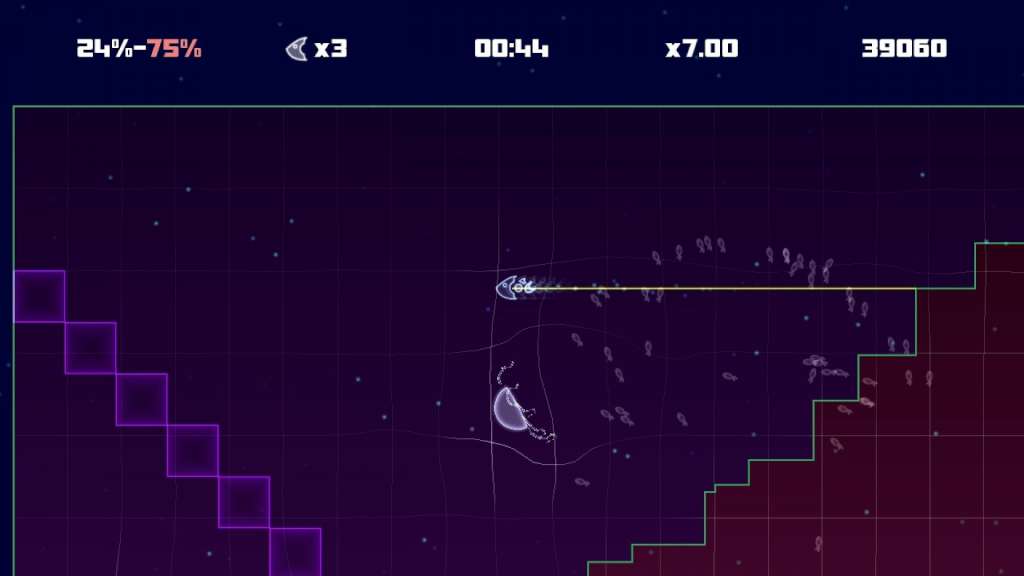
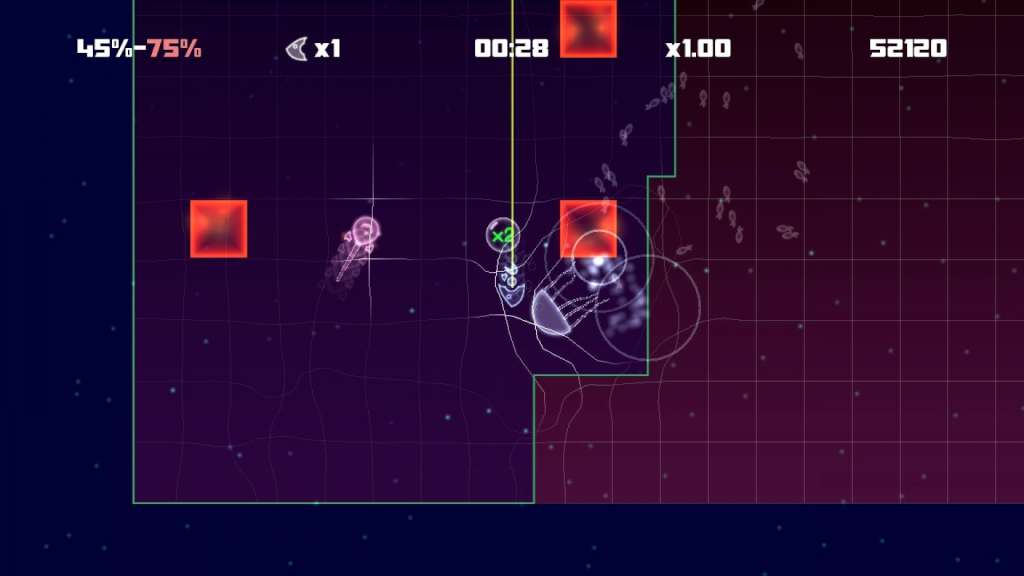
Sold By: Hstock ManagedLightfish Steam Key Platform: Steam Release Date: 19 Oct 2011 Product Description LightFish is a highly addictive arcade game, where the user controls a small fish who lives in the abyssal deeps of the ocean… surrounded by deadly creatures. His objective is to destroy all the monsters who inhabit those dangerous zones by drawing lines onto unexplored territory. However, any enemy who manages to touch the Lightfish will kill him instantly! LightFish is a classic concept evolved into something new and exciting, with unique features and an original soundtrack. Immerse yourself in a colourful world full of beautiful yet deadly sea creatures and progress through the numerous levels the game offers! Features Classic gameplay evolved and enhanced 2 different game modes Original soundtrack Unique graphic style adapted to gameplay Score challenges that encourage replayability 10 enemy types and 45 unique levels System Requirements PC System Requirements OS:Windows XP SP2, Vista, 7 Processor: 2 GHz Memory: 1 GB RAM Graphics: Direct X 9.0c Compatible Card DirectX®:9.0c Hard Drive: 200 MB HD space Sound: Standard audio Mac System Requirements Processor:2 GHz Dual Core or higher Memory:2 GB RAM Hard Drive:200 MB HD space
| Publishers | Eclipse Games |
|---|---|
| Genres | Action, Indie |
| Platform | Steam |
| Languages | English |
| Steam | Yes |
| Age rating | ESRB E |
| Regional limitations | 3 |
Only logged in customers who have purchased this product may leave a review.
2 in stock
2 in stock
180 in stock
180 in stock
609 in stock
609 in stock
4 in stock
4 in stock
- Sid Meier’s Civilization V – Brave New World Expansion PC Steam CD Key €2.04 Sold By: Hstock Managed
754 in stock
754 in stock
100 in stock
100 in stock





HStocks guarantees that all accounts sold are valid for 24 hours from the time of purchase.
 Replacements or Refunds Will Be Provided Only If:
 Replacements or Refunds Will Be Provided Only If:
- The account is blocked on delivery, not after sucessful login
- The credentials are incorrect
- A valid claim is submitted within 24 hours of purchase

Refund Policy
 Refund Policy
Refunds will be issued only to:
- Crypto wallet
- HStocks store wallet (in-site balance)
- No refunds to original payment methods (e.g., card, UPI, PayPal, etc.) Important Terms & Conditions
- Proof is mandatory for all refund or replacement claims. It must clearly show the issue — such as a login error, block message, or credential mismatch.
- Acceptable proof formats: Screenshots (clear and full screen), Videos (screen recordings are preferred)
- You may upload your proof via: Google Drive, Dropbox, Imgur, Streamable Or any other shareable link. Make sure the file is accessible without permission requests.
- Do not change any account details (email, password, etc.) until you’ve confirmed everything is working. Changing details before verification voids warranty.
- Warranty does not apply if the issue arises due to:
- Personal misuse or modification of account
- Device bans, IP bans, or use of VPNs or suspicious tools
- Attempting to access the account from multiple devices simultaneously
- All disputes must be raised within 24 hours. Claims beyond this period will not be entertained.
- The decision of HStocks staff or admin is final in all warranty-related matters.
HOW?
 Important Terms & Conditions
 You may upload your proof via:
 Help Us Help You Faster
 Help Us Help You Faster
- Always read product descriptions carefully
- Record your screen during first login whenever possible
- Include your Order ID when contacting support also in Message and Subject.
- Reach out respectfully — we’re here to help!
Additional Terms & Conditions
- Do not modify any account details (email, password, etc.) until fully verified. Changes made before verification void warranty.
- Issues caused by VPN usage, IP bans, or multiple device logins are not covered.
- Claims must be submitted within 24 hours. After this, no support will be provided.
- The final decision lies with the HStocks admin or vendor.
- Abusive language or fraudulent claims will result in a ban from future purchases.
Related Products

21 in stock
21 in stock

108 in stock
108 in stock

3 in stock
3 in stock

64 in stock
64 in stock

2 in stock
2 in stock
8 in stock
8 in stock

8 in stock
8 in stock
2 in stock
2 in stock



Reviews
There are no reviews yet.